Automate Your QR Experiences with Zapier Integration
2025-01-23
New Feature: QR Experiences with Zapier Integration! 🎉
We’re thrilled to introduce Zapier Integration with QR Experiences, allowing you to automate and streamline your workflows like never before! With this feature, you can connect your QR experiences to hundreds of apps and automate data flows, making your QR code campaigns even more efficient and powerful.
What's New?
- Zapier Integration: Automate your QR code workflows by connecting QR Experiences with over 5,000 apps available on Zapier.
- Trigger Actions: Automatically trigger actions in your preferred tools (CRM, email marketing platforms, etc.) based on QR code scans or other interactions.
- Seamless Data Flow: Pass QR code data to and from your applications to streamline your business processes.
- Instant Data Sync: Sync data between QR code interactions and your apps in real-time, making it easier to track and analyze results.
How It Works
Connect Your QR Experience with Zapier: Start by linking your QR Experiences account to your Zapier account. Once connected, you can set up automated workflows, known as “Zaps,” to trigger actions in other apps when a QR code is scanned.
Choose Your Trigger Event: Select a trigger event, such as a QR code scan or a specific link click.
Choose Your Action: After the trigger event, choose the action you want to automate in your connected app (e.g., add a contact to your CRM, send an email, log data to a Google Sheet, etc.).
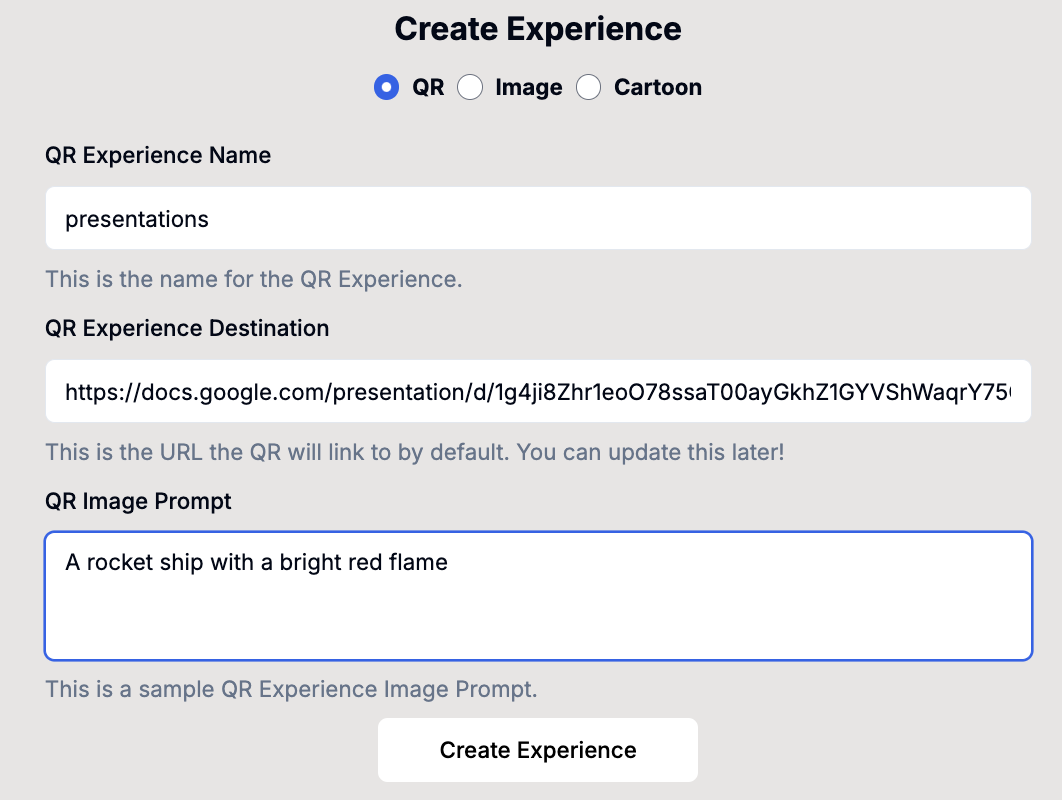
Automate Your Workflow: Set up the conditions for your Zap, and you’re ready to go! Every time someone scans your QR code, the corresponding action will be triggered, saving you time and effort.

Why You'll Love This Feature
- Automated Data Management: With Zapier, you no longer have to manually manage your QR code data. Automate workflows to instantly log, track, and update information across platforms.
- Powerful Integrations: Zapier connects to more than 5,000 apps, allowing you to integrate QR Experiences with your existing tools, such as Salesforce, Google Sheets, Mailchimp, Shopify, and much more.
- Time-Saving Automation: Free up valuable time by automating repetitive tasks like data entry, notifications, and follow-ups based on QR code interactions.
- Streamlined Marketing & CRM: Effortlessly add leads to your CRM, send automated emails, or sync data across your marketing platforms for better engagement and performance tracking.
Stay Ahead of the Curve
This integration is a game-changer for businesses and marketers looking to optimize their QR code workflows and leverage automation for faster and smarter decision-making. Whether you're automating marketing campaigns, lead generation, or real-time reporting, Zapier integration gives you full control over your QR experience data.
If you have any questions or need help setting up your Zap, feel free to contact our support team or check out our documentation.
Thank you for being a part of QR Experiences! We’re excited to see how you’ll use Zapier and QR codes to automate and elevate your business processes. 🚀