Create Stunning QR Experiences with Shopify Products
2025-01-23
New Feature: QR Experiences with Shopify Products! 🎉
We’re thrilled to introduce a game-changing feature that allows you to create stunning QR code experiences directly from your Shopify products! Whether you’re showcasing new products, running promotions, or sharing product details, this new feature will help you engage customers in a dynamic and trackable way.
What's New?
- Shopify Integration: Seamlessly integrate your Shopify store and generate sharable links for individual product pages.
- Link Customization: Personalize your links with custom names to create a branded, unique experience for each product.
- AI-Generated Cover Image: Automatically generate a stunning cover image for each product using AI, making your QR code experience visually appealing and engaging.
- Instant QR Code Creation: Generate a QR code that links directly to your Shopify product page for easy sharing, tracking, and customer interaction.
How It Works
Connect Your Shopify Store: Start by linking your Shopify store to QR Experiences.
Generate a Shareable Link for Products: Once your store is connected, generate a sharable link for individual products by selecting the product you want to share.
Create Your QR Experience: When creating a new QR code experience, use the Shopify product link as the destination. Customize the link name and automatically generate an eye-catching cover image with AI.
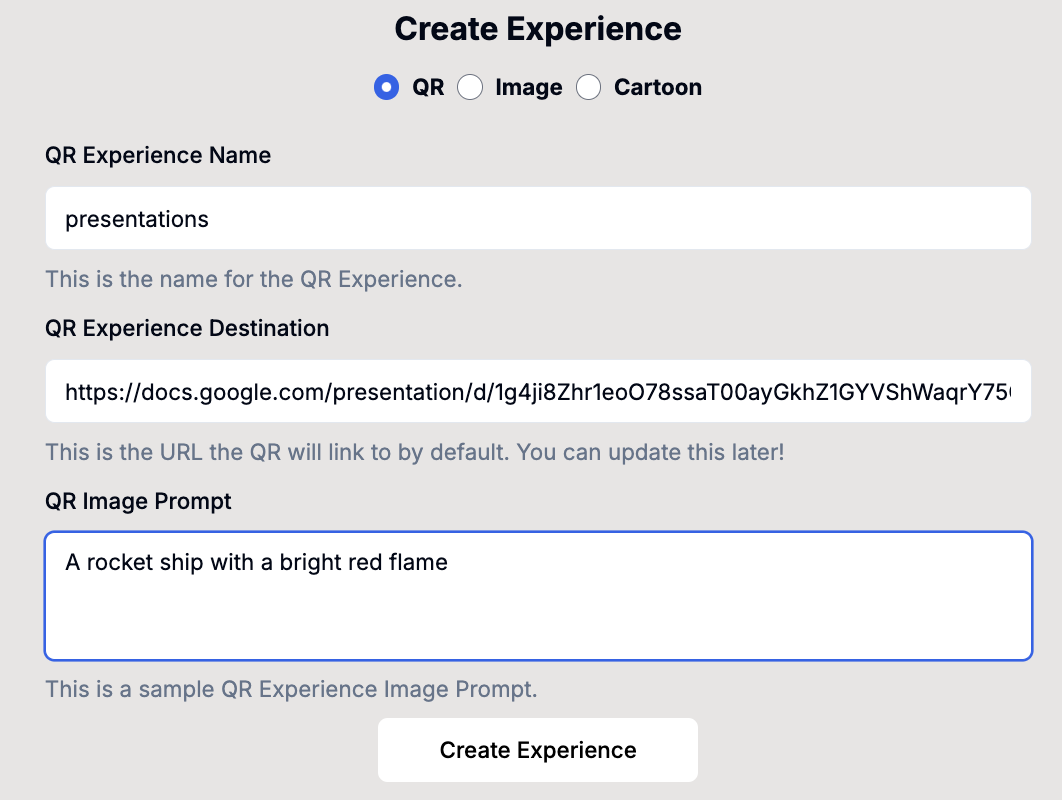
You can choose between:
- AI-Generated Background: Let OpenAI create a customized background for your QR code experience that matches your branding.
- Replicate AI Background: Use Replicate to generate a unique image or artistic representation of your product.
Track Engagement: Share the generated link (e.g.,
go.qrexperiences.com/[product name]) to start tracking customer engagement and interactions with your products through detailed analytics.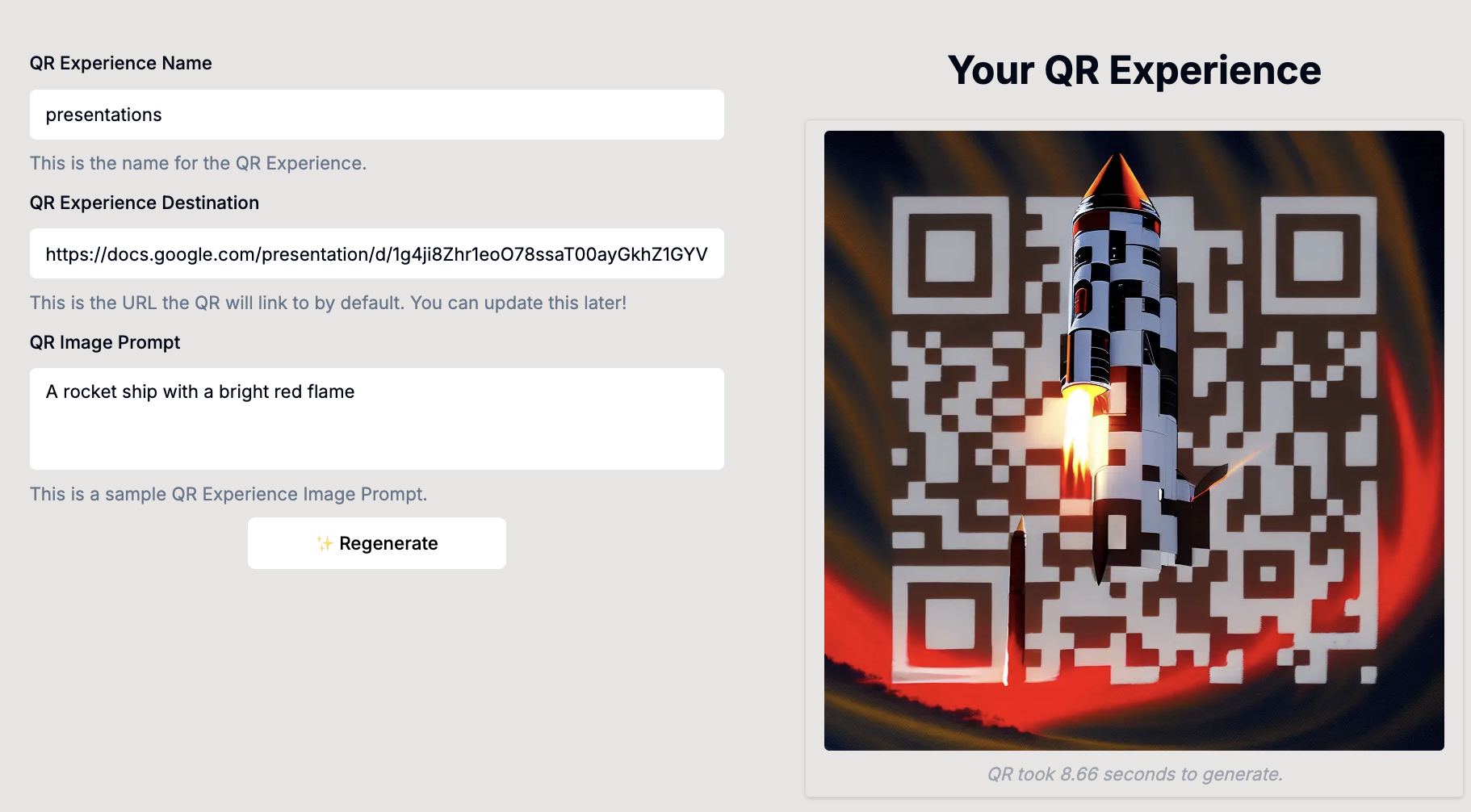
Why You'll Love This Feature
- Seamless Shopify Integration: Effortlessly link your Shopify product pages to QR codes for easy sharing and tracking.
- Customizable Links & Cover Images: Personalize each product’s QR experience with custom link names and stunning AI-generated cover images.
- Comprehensive Analytics: Track how customers interact with your products by viewing engagement and conversion metrics to optimize your sales and marketing strategies.
- Perfect for Marketing & Sales: Whether you're promoting new products, running seasonal campaigns, or providing customers with easy access to product details, QR Experiences with Shopify will help you connect with your audience.
Stay Ahead of the Curve
This new feature is part of our ongoing commitment to helping you create smarter, more interactive QR experiences that enhance your sales and marketing efforts. We’ll continue rolling out updates and improvements to make your eCommerce campaigns even more effective.
If you have any questions or need assistance, feel free to contact our support team or check out our documentation.
Thank you for being a part of QR Experiences! We’re excited to see how you’ll use Shopify and QR codes to boost your product visibility and customer engagement. 🚀