Create Stunning QR Experiences with Google Slides Presentations
2025-01-23
New Feature: QR Experiences with Google Slides Presentations! 🎉
We’re excited to introduce a game-changing feature that allows you to create stunning QR code experiences directly from Google Slides presentations! Whether you're presenting marketing materials, product demos, or educational content, this new feature will help you create dynamic and trackable experiences with ease.
What's New?
- Google Slides Integration: Create a Google Slides presentation and generate a sharable link.
- Link Customization: Name your link for a more personalized and branded experience.
- AI-Generated Cover Image: Automatically generate a cover image for your presentation using AI, making your QR experience visually appealing.
- Instant QR Code Creation: Generate a QR code that links directly to your Google Slides presentation for easy sharing and tracking.
How It Works
Create Your Google Slides Presentation: Start by creating your presentation in Google Slides, just like you normally would.
Generate a Shareable Link: Once your presentation is ready, generate a sharable link (ensure the presentation is set to "Anyone with the link" for public access).
Create Your QR Experience: When creating a new QR code experience, use the Google Slides link as the destination. Customize the link name and automatically generate a stunning cover image with AI.
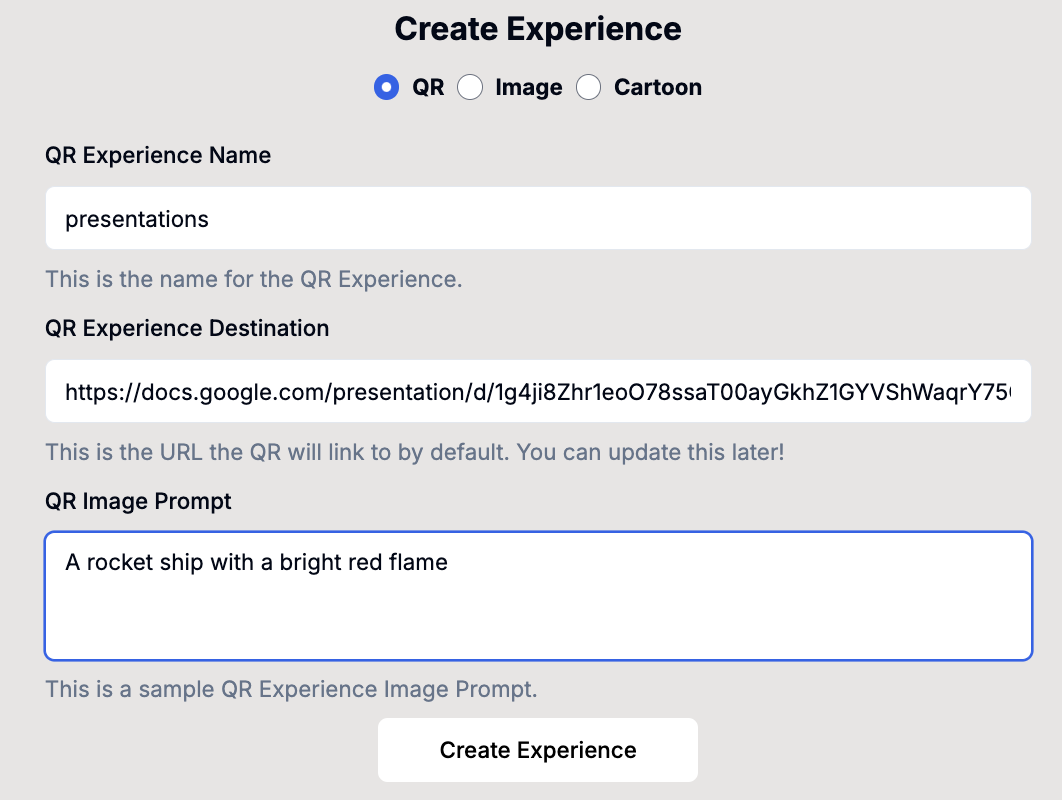
You can choose between:
- AI-Generated Background: Let OpenAI to create a customized background for your QR code experience.
- Replicate AI Background: Use Replicate to generate a unique image or cartoon-style image for your QR code.
Track Engagement: Share the generated link (e.g.,
go.qrexperiences.com/[link name]) to start tracking the performance of your presentation through detailed analytics.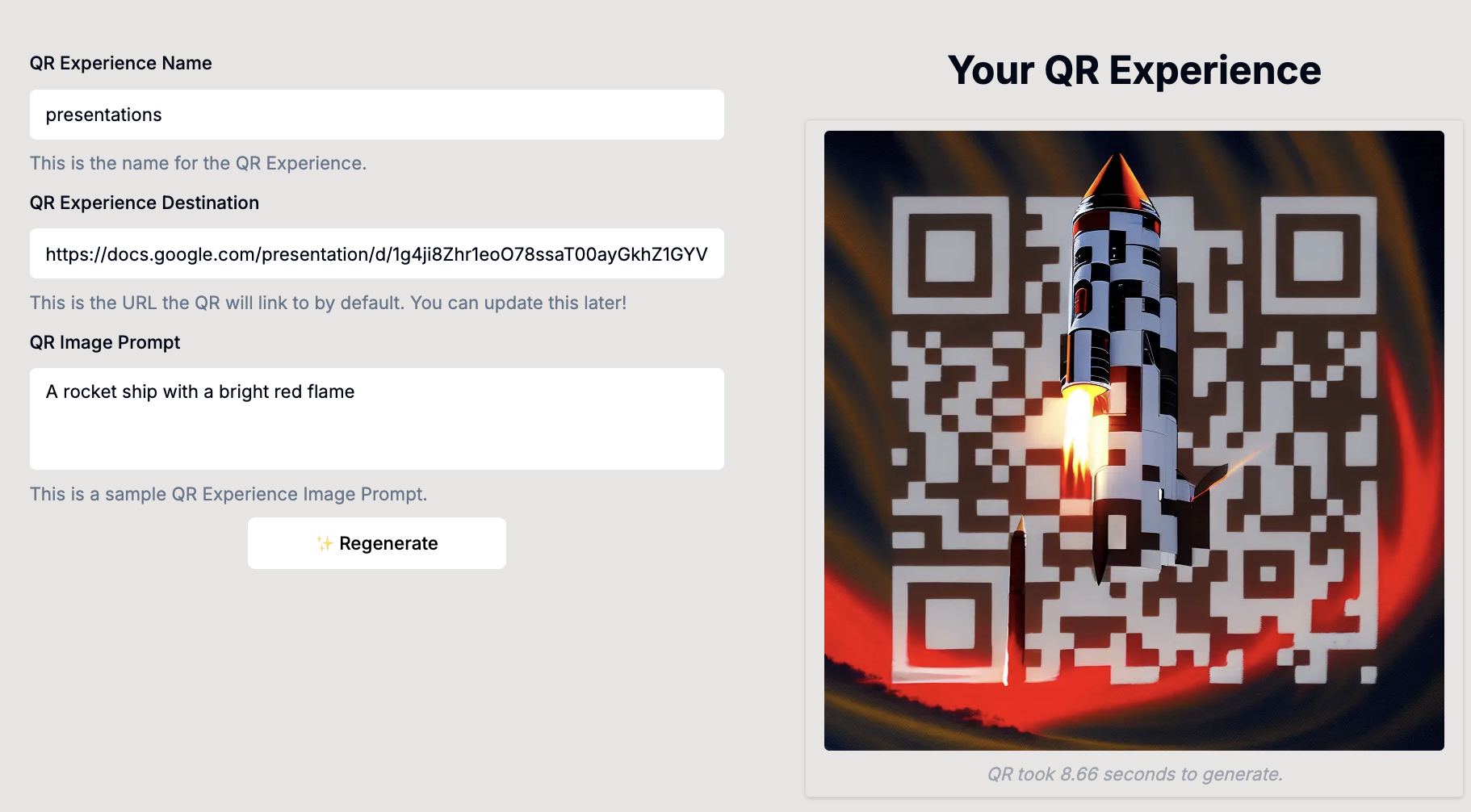
Why You'll Love This Feature
- Seamless Integration: Easily connect your Google Slides presentations with QR code experiences for smooth user interaction.
- Customizable Links & Cover Images: Personalize your QR experiences with custom link names and AI-generated cover images.
- Comprehensive Analytics: Track user engagement and performance metrics for your presentations to optimize your content and reach.
- Perfect for Marketing & Education: Use it for marketing campaigns, product demos, educational materials, or any content you want to share in an interactive and trackable way.
Stay Ahead of the Curve
This new feature is part of our ongoing commitment to helping you build smarter and more engaging QR experiences. We’ll continue to roll out exciting updates and improvements to make your campaigns even more effective.
If you have any questions or need help, feel free to contact our support team or check out our documentation.
Thank you for being a part of QR Experiences! We’re excited to see how you’ll use Google Slides and QR codes to take your presentations to the next level. 🚀